
Recycling & disposalLast reviewed 7 min read
Donating a Working TV, Computer, or Game Console in Akron (Not Recycling It)
Still works? Don't recycle it. Learn how to wipe your data and donate working electronics in Akron to a neighbor who needs them now.
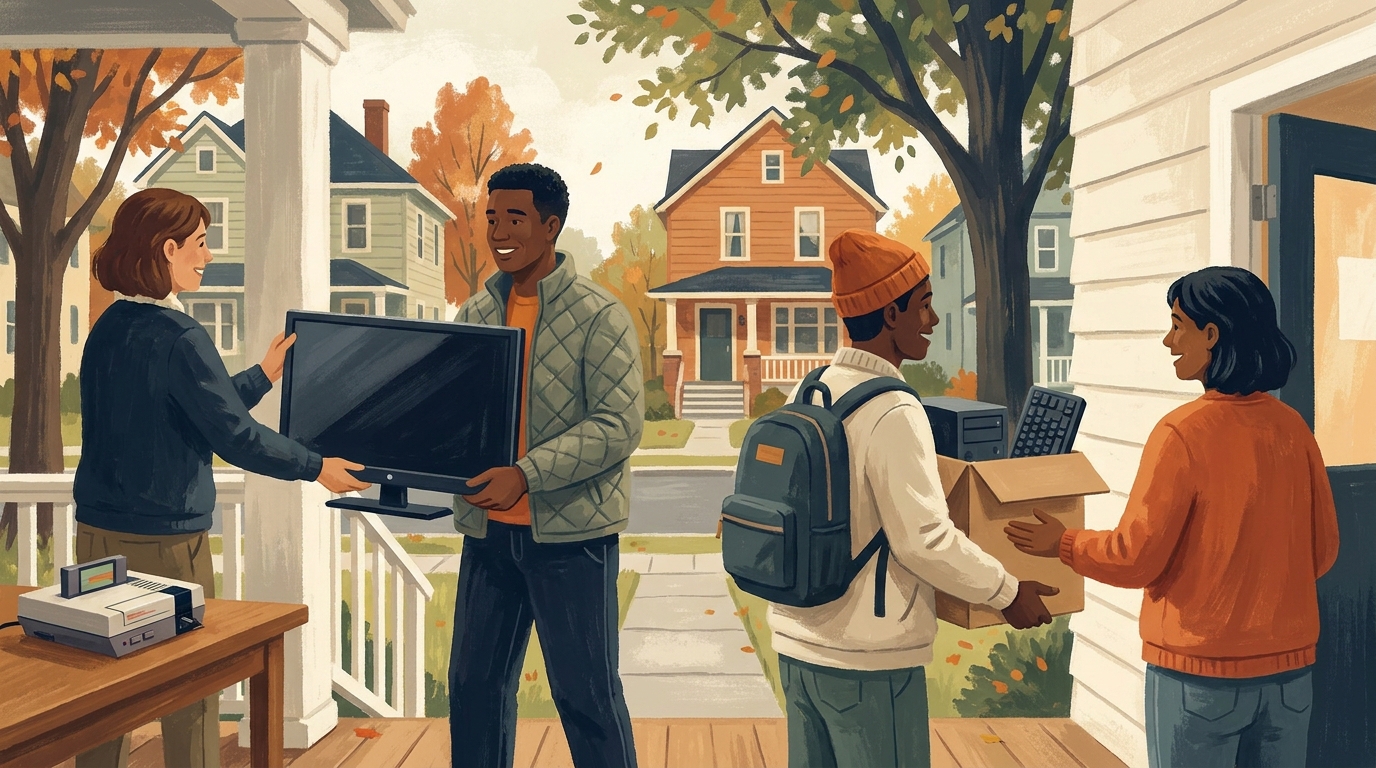
If your TV, computer, or game console still turns on, it doesn't belong in a recycling bin — recycling shreds working electronics down for scrap. In Akron, wipe your data first, then give it to a neighbor through StuffRescue — a free-items giving platform in Akron, Ohio — a specific school or nonprofit need, or a Buy Nothing group.
Save recycling for the devices that are truly dead.
This is for Akron Givers clearing out an old TV, laptop, desktop, or console that still works — moving, upgrading, or just tired of it taking up space. You'll get the FTC's own steps for wiping your data, a clear line between "give this away" and "recycle this," and the Akron-area places a working device can go.
Should a working TV, computer, or game console be recycled, or given away?
If it powers on and still does the basic job — streams a show, browses the web, runs a game — it should go to a neighbor, a school, or a nonprofit before it ever reaches a recycling bin. Electronics recycling breaks a device apart for raw materials; it's built for things that are done, not things that still work. The U.S. Environmental Protection Agency treats donation and recycling as two separate paths for two different conditions, not interchangeable options for the same device (EPA, Electronics Donation and Recycling).
A cracked TV screen, a computer that won't boot, or a console with a dead drive and no digital library left on it — those are recycling candidates. A TV that's just "too small now," a laptop that's merely slow for homework, or a last-generation console in a closet — those still have years left, and a neighbor nearby would rescue them today. That's the case for choosing to donate working electronics in Akron instead of a drop-off bin: usable life doesn't belong in a shredder.
How do I wipe personal data off a computer before giving it away?
Back up what you want to keep, sign out of every account, then use the computer's own built-in reset tool to erase the hard drive — deleting files or emptying the trash does not actually remove them. The Federal Trade Commission lays out the same steps for any computer headed out the door, whether it's being sold, donated, or recycled (FTC, How To Remove Your Personal Information Before You Get Rid of Your Computer):
- Back up anything you want to keep — to a new computer, an external drive, or cloud storage like Google Drive, Dropbox, or iCloud.
- Sign out of email, browsers, and any cloud accounts synced to the machine.
- Run the built-in reset: "Reset this PC" on Windows, "Erase All Content and Settings" on a Mac, or the factory reset option on a Chromebook.
- Confirm the reset finished and the machine boots to a blank setup screen before you hand it off.
If the computer is actually broken and headed to a recycler instead of a neighbor, pull any removable battery first — lithium-ion batteries can't go in a regular recycling bin (EPA).
How do I wipe a smart TV or game console before giving it away?
Sign out of every streaming and account login, then run the device's own factory reset from its settings menu — the same logic the FTC applies to computers and phones applies to anything that holds an account. For a console specifically, deactivate or deregister it from your account before resetting, or the next neighbor may not fully use their own digital games.
In practice:
- Smart TV: sign out of Netflix, Disney+, YouTube, and similar apps, then choose "reset to factory defaults" in system settings.
- Xbox: sign out of your Microsoft account, remove it as the console's "home" console, then factory reset.
- PlayStation: deactivate it as your primary PS4 or PS5 under account settings, then initialize/reset it.
- Nintendo Switch: deregister the console from your Nintendo Account first, then choose "Initialize Console" — out of order, the next owner can end up locked out of features tied to your login.
None of this takes more than about fifteen minutes, and every device above walks you through it from its own settings menu.
Where can a working TV, computer, or game console go in Akron?
Three solid homes for a working device in Akron, roughly in order of how fast they move:
- A neighbor through StuffRescue. Give it, and it's visible to neighbors nearby; anything within 3 miles is free, forever, with no sign-up hoops for the neighbor who rescues it.
- A specific school or nonprofit need. If a classroom, a senior center, or a family starting over could use exactly your item, post it as a Wish — it renders like every other post, no application or proof of need required.
- A Buy Nothing Akron group. Genuinely good for working electronics, and we say that honestly: a real community of neighbors, just organized in scattered Facebook groups with no shared memory of who gave what.
Working vs. broken: where should your electronics go?
| Option | Cost | Speed | Best for | Catch |
|---|---|---|---|---|
| StuffRescue (Give it) | Free ≤3 mi; $0.99 beyond, only on success | Often same day | Any working device a nearby neighbor can use now | Pilot — Akron zones first; wipe data before handoff |
| Post it as a Wish | Free | Varies | A specific school, nonprofit, or family need | Renders like every other post — no badges |
| Buy Nothing Akron group | Free | 1–3 days | Working items, no account needed | Scattered groups, no gratitude loop |
| Summit ReWorks / certified e-waste recycler | Free–low cost | Varies by hours | Truly broken — cracked, dead, won't power on | Wipe data, remove batteries, same as a donation |
Where StuffRescue fits
Akron already has good options for a working device — Buy Nothing groups, a school's front office, a nonprofit's wish list — and we'll point you to all of them honestly. StuffRescue's edge is speed and dignity: give it, and it's visible only to nearby neighbors; everything within 3 miles is free, forever, and the $0.99 fee farther out only charges once a rescue succeeds — never for browsing, claiming, or asking. A school or nonprofit can post its own need as a Wish, shown exactly like every other item in the feed. Every rescue keeps something out of a landfill. Join StuffRescue free and Reactivate your stuff instead of feeding it to a shredder.
Frequently asked questions
Is it safe to give away a computer without wiping it first?
No. Deleting files or emptying the recycle bin does not actually erase them from the hard drive, so running your operating system's built-in reset tool is the step that matters before a computer leaves your hands.
Does a factory reset really remove everything?
Yes, when you run the device's own reset tool — "Reset this PC," "Erase All Content and Settings," or a console's initialize option — after signing out of every account tied to it first; skipping the sign-out step can leave a console partly locked to your old login even after the reset.
What should I do with a TV or computer that's actually broken?
Take it to a certified electronics recycler like Summit ReWorks instead of giving it away. A broken device with any storage still needs a data wipe and battery removal first, but recycling is the right call once something is truly non-functional — not just old.
Can I give away a game console without losing my own saved games or purchases?
Yes. Back up your save files to the cloud or a USB drive and deregister or deactivate the console from your account before you reset it, which keeps your digital library tied to your account rather than to that specific console.
Does StuffRescue pick up electronics, or do I have to drop them off?
Pickup is arranged directly between neighbors once a rescue is confirmed. You give it, a nearby neighbor rescues it, and the two of you work out a simple handoff — free within 3 miles of home in the Akron pilot.
Sources
Published by StuffRescue, a US nonprofit based in Akron, Ohio. Spotted something out of date? Email info@stuffrescue.co.
More guides on recycling & disposal
Recycling & disposal
What StuffRescue Can't Take: A Guide to Household Hazardous Waste Disposal in Akron
StuffRescue won't take paint, propane, or chemicals. Here's where household hazardous waste disposal in Akron actually goes, and what fits a neighbor.
Recycling & disposal
Free Appliance Pickup in Akron: What's Actually Free, and What Comes With a Fee
Free appliance pickup in Akron has strings attached. Compare the city, FirstEnergy, Home Depot, Lowe's, Best Buy, and StuffRescue costs before you call.
Recycling & disposal
How to Get Rid of an Old Mattress: Donate, Recycle or Dispose
Wondering how to get rid of a mattress? Learn the rules for mattress donation, state recycling programs, retailer haul-away, and city disposal options.